One place to connect and manage your whole stack.
Go from idea to live app with one guided workflow.
Algora Launch wires together GitHub, Supabase, Railway, Cloudflare, and Stripe so you skip the hours of provider setup, env var juggling, Stripe store wiring, and DNS configuration that normally stand between “I have an idea” and “it’s live.”
Automatic iOS app creation, App Store Connect setup, and Vercel integration are planned next, but are not live yet.
Loading current launch pricing…
The setup work you do for every project — automated.
Every launch needs the same boring glue: a repo, database, environment variables, deploy targets, DNS records, and payment processing. Algora Launch handles the full chain so you can focus on the product, not the plumbing. When something partially fails, the flow picks up where it left off instead of making you start over.
What happens when you launch
- Repo created from template or connected from your existing GitHub.
- Supabase project provisioned with auth, database, and encrypted keys.
- Environment variables injected across services — no manual copy-paste.
- Railway frontend + backend deployed with internal networking configured.
- Cloudflare DNS and SSL wired to your custom domain.
- Stripe store created with products, promos, and IDs tracked for that project.
Your accounts, your infrastructure.
Algora Launch orchestrates your own GitHub, Supabase, Railway, Cloudflare, and Stripe accounts and keeps the resulting repo, deploys, secrets, DNS, and Stripe store wiring organized per project. You keep full ownership and control — no vendor lock-in, no black-box infrastructure you can’t access directly.
Start for under $5.
GitHub, Supabase, Cloudflare, and Stripe all have free tiers. Railway is usually the first real cost once you deploy. Algora Launch itself uses pay-per-project pricing with early adopter discounts.
One guided path from idea to live domain.
Create the repo
Generate a new repository from a battle-tested template or connect an existing one. Either way, the setup flow picks up from where you are.
Provision the database
Pick a Supabase org, get a fully provisioned project with auth and database ready, keys encrypted and stored — no manual copy-paste.
Deploy backend + frontend
Railway services get created, connected to your repo, injected with the right env vars, and deployed. Internal networking is configured automatically.
Go live on your domain
Cloudflare DNS records, Railway verification, and SSL — all handled. Your app is live on your domain in minutes, not hours.
Safe by default.
Secrets are encrypted at rest with AES-256-GCM. Railway projects are resumed, not recreated. DNS changes are scoped to exactly the records needed. Nothing destructive happens without explicit confirmation.
iOS is coming soon.
iOS app creation, screenshot generation, and App Store Connect automation are on the roadmap, but they are not yet part of the live launch flow. Today, Algora Launch is focused on the web stack plus Stripe store setup. Vercel deployment support is also coming soon.
Integrations that work together.
Each integration does one job in the launch chain. Connect your accounts once, then every new project gets the full stack automatically, including the Stripe products, promo configuration, and provider IDs that need to stay tied to that specific app.
No more .env juggling.
Every secret your project needs gets provisioned, encrypted, and injected automatically. No manual copy-paste between dashboards. No out-of-sync local and prod env files. The Algora CLI (coming soon) generates your local .env file directly from your project config — one command and you’re running.
Stripe offers, managed for you.
Algora Launch does more than connect Stripe. It provisions the project’s store products and prices, manages the Stripe IDs they depend on, and handles launch promos and early-bird discounts inside Algora Launch instead of leaving you to wire them up manually in the Stripe dashboard.
Show the workflow, not just the promise.
These demo captures show the signed-in dashboard, provider connections, and project detail views using realistic mock data and the same UI system as the live app.

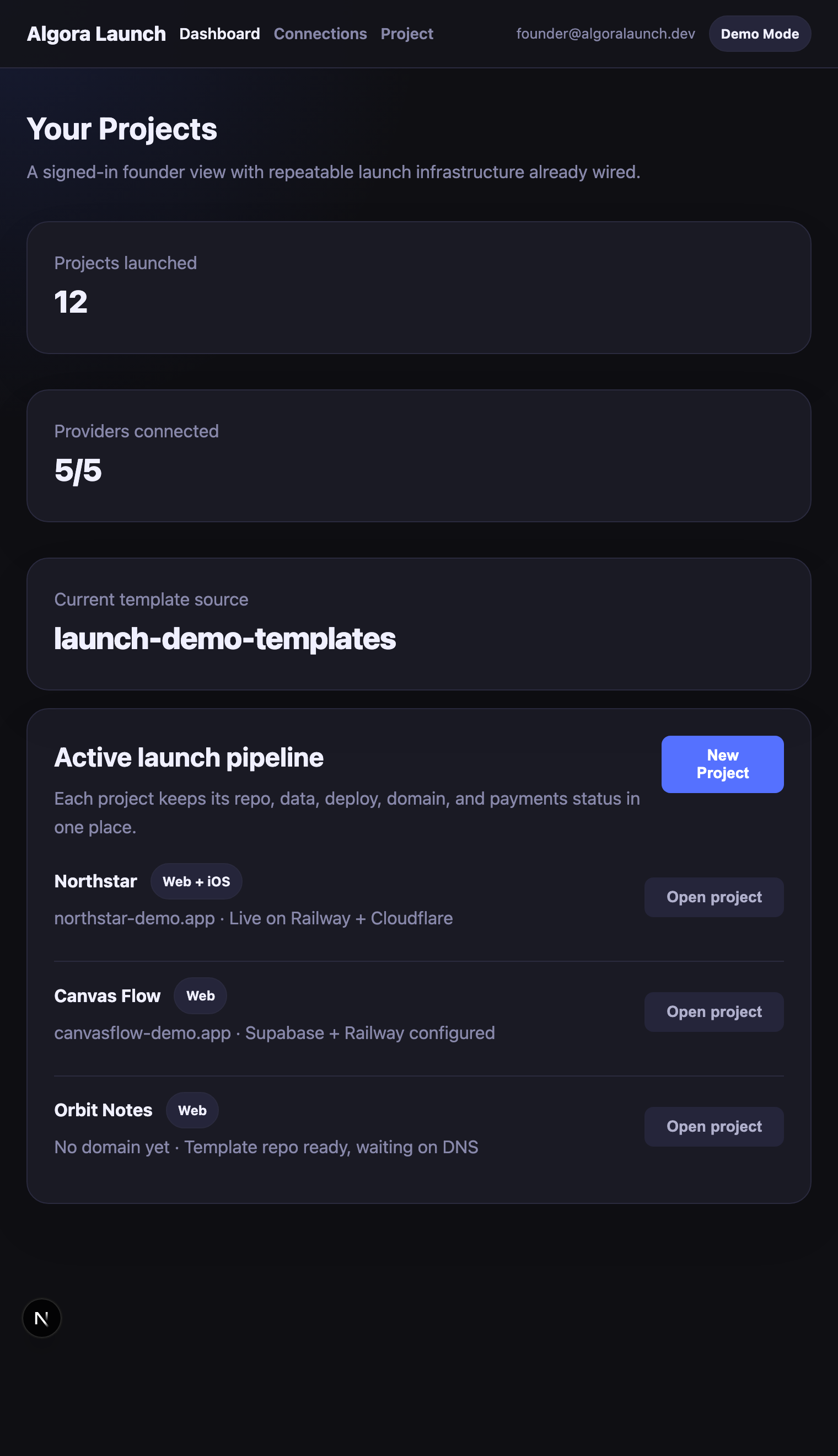
Dashboard
Track launches, domains, and provider readiness across your projects.

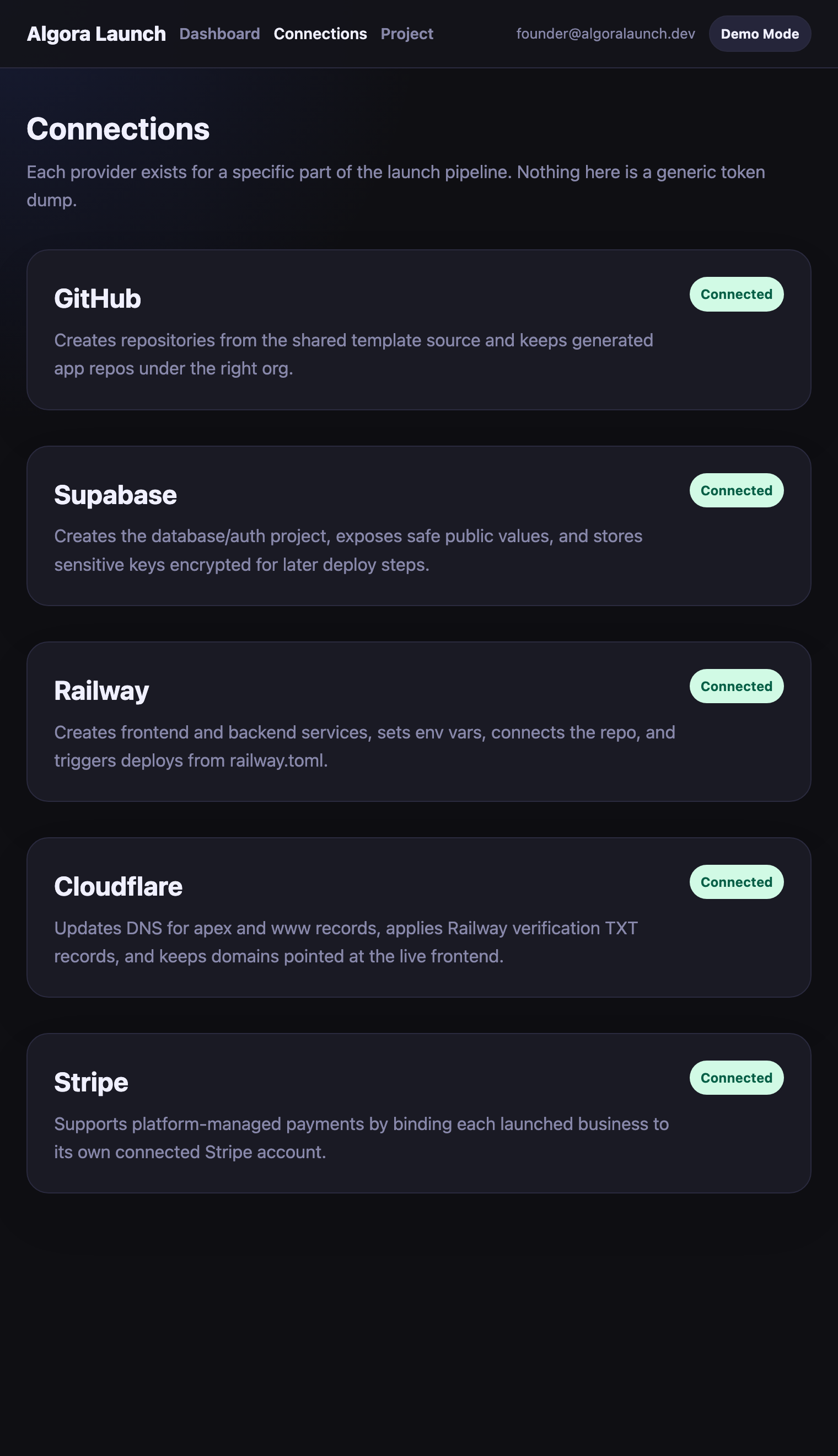
Connections
Keep provider setup explicit so each integration has a clear role in the product launch.

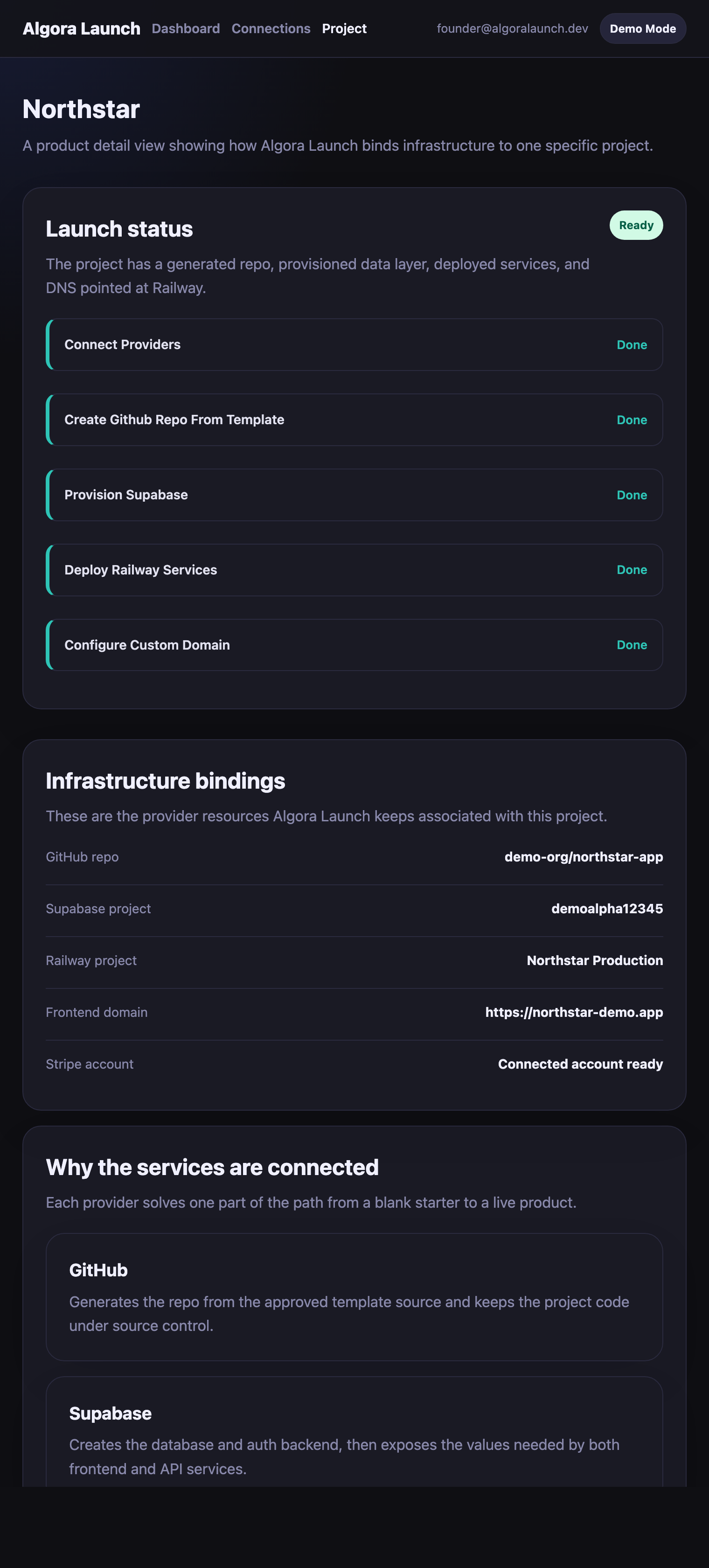
Project detail
See the repo, data layer, deploy target, domain, and Stripe store status for one app.
How each provider is used in the launch flow.
Why is GitHub connected?
GitHub is where Algora Launch either creates a brand-new project repository from the shared template source or connects an existing repository so the rest of the setup can continue against real source control.
Why is Supabase connected?
Supabase provisions the database and auth layer. Algora Launch sets up the project for you, stores sensitive Supabase values encrypted, and passes them to Railway only when deployment needs them, so you are not manually managing API keys, domains, or environment variables.
Why does Railway need repo access?
Railway deploys the frontend and backend directly from the generated repo, using the template root directories and railway.toml files that define each service.
Why is Cloudflare involved?
Cloudflare updates the DNS records for your apex and www domains, including Railway verification TXT records, so the live frontend points at the correct deploy.
How does Stripe fit in?
Stripe is project-specific billing infrastructure. Algora Launch binds each launched business to its own Stripe setup, creates and syncs the store products and prices it needs, manages promo coupons, and keeps the relevant Stripe IDs associated with the correct project instead of leaving that scattered across dashboards.
How are secrets handled?
Public config values can be stored openly on the project record. Sensitive provider values stay encrypted at rest and are decrypted only inside the backend request that needs them.
Do I still need my own provider accounts?
Yes. You still need your own GitHub, Supabase, Railway, Cloudflare, Stripe, and eventually Apple accounts. Algora Launch orchestrates those services for you; it does not replace them. Apple account and App Store Connect automation are planned, and Vercel integration is planned too, but those parts are still coming soon.
Do those provider accounts cost extra?
Most of the connected services can be started on their free plans, including GitHub, Supabase, Cloudflare, and Stripe. Railway is usually the first provider that requires real runtime spend once you deploy an always-on instance.
Stop setting up infrastructure. Start building your product.
Every hour spent on provider setup is an hour not spent on what makes your product different. Algora Launch handles the launch chain so you can focus on what matters.